
Floating Toolbar Startup Protection & Context Isolation
When launching Open Publisher, a clean presentation ensures users can focus on selecting a publication template, opening recent files, or configuring document dimensions. As of version 4.20.7, we introduced a comprehensive context isolation between the startup dashboard and canvas formatting toolbars, guaranteeing that floating toolbars remain completely hidden until a user opens a publication and explicitly selects an element on the canvas.
🛡️Clean Startup Dashboard Presentation with Protected Toolbar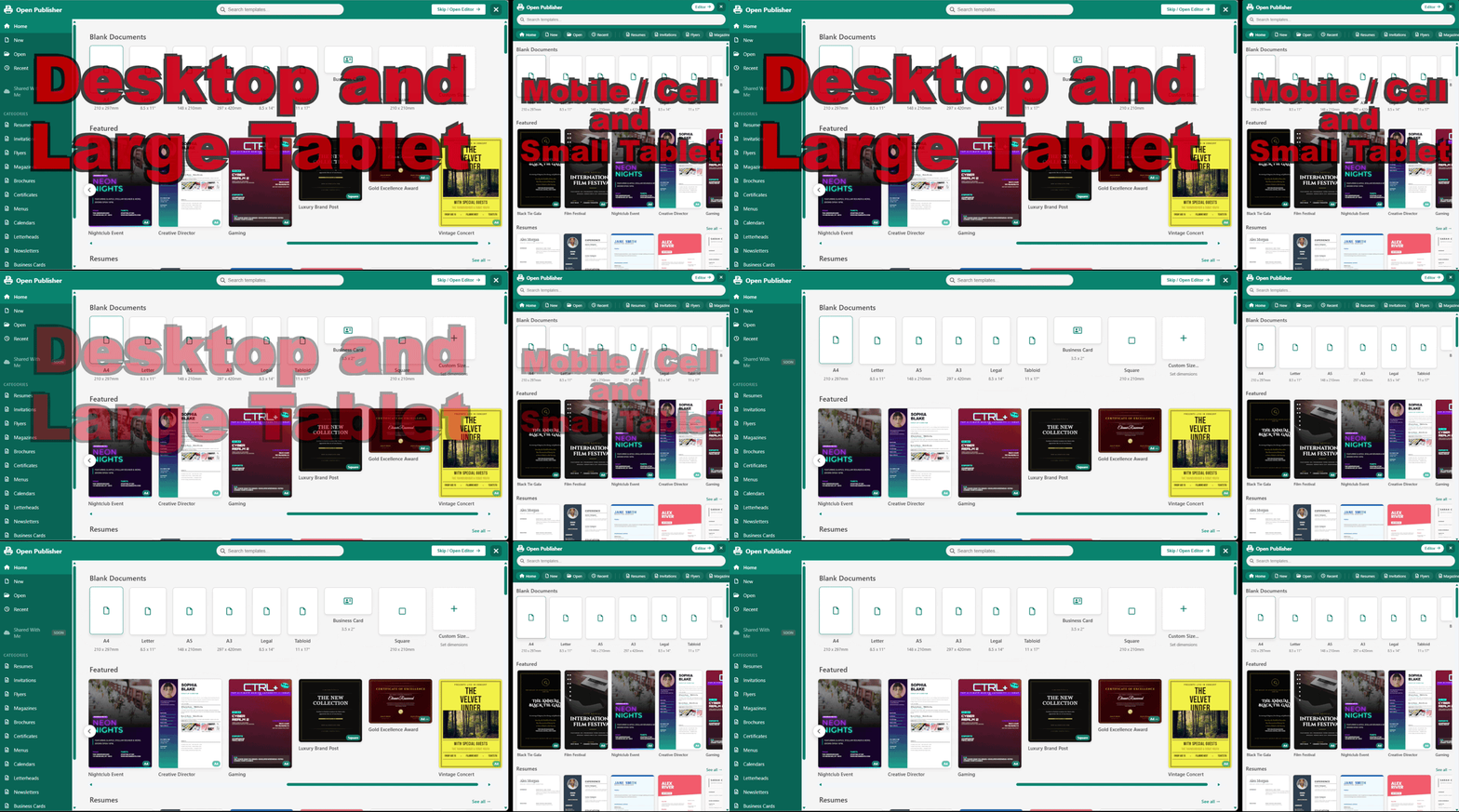 The startup dashboard displays cleanly without background toolbar bleed or premature interface elements.
Context Isolation Behind Dashboard Overlays
The dashboard system operates with strict visual and DOM layer separation:
-
Dashboard Open State: When the dashboard modal opens on launch or via File > New, a global dashboard-open class is applied to the document body.
-
CSS Hard Guards: The stylesheet enforces display: none !important; on #float-toolbar and all contextual formatting overlays whenever the dashboard state is active.
-
Backdrop Occlusion Protection: Prevents toolbars, color palettes, or floating widgets from bleeding through semi-transparent backdrops or showing above dashboard cards.
Interaction-Driven Display Lifecycle
The floating toolbar lifecycle is strictly bound to user intent:
-
Default Hidden Geometry: In style.css and the core HTML markup, #float-toolbar initializes with an inline style="display: none;" attribute, eliminating visual flash on page load.
-
Runtime Show Guards: The showFloatToolbar() function in elements/text/text.js immediately aborts execution if the dashboard or any full-screen setup modal is active.
-
Selection Activation: The floating toolbar appears smoothly only after a publication is loaded and the user clicks or double-clicks an editable text box.
Clean Kiosk & Web Presentation
This architecture provides a reliable presentation whether running in the Electron desktop wrapper, standalone kiosk mode, or web browsers. When returning to the dashboard to switch projects, the toolbar immediately hides, keeping your workspace uncluttered.
Note: Clicking outside an active text box onto the pasteboard or canvas background automatically dismisses the floating toolbar.