
6-Slider Dual-Column Background Suite & Pattern Controls
Setting the perfect background ambiance for a document often requires nuanced adjustments: softening a vibrant gradient, boosting contrast on textured paper, or scaling the weave of a canvas pattern. In earlier versions of Open Publisher, background adjustment sliders were non-functional placeholders because CSS filters on DOM containers vanished during print rasterization. Version 5.4.1 debuted the feature-rich 6-Slider Dual-Column Background Adjustment Suite in the Theme Studio, paired with an offscreen Canvas 2D raster pre-baking engine that guarantees 100% physical print fidelity.
🎛️Symmetrical Dual-Column 6-Slider Background Adjustment Suite
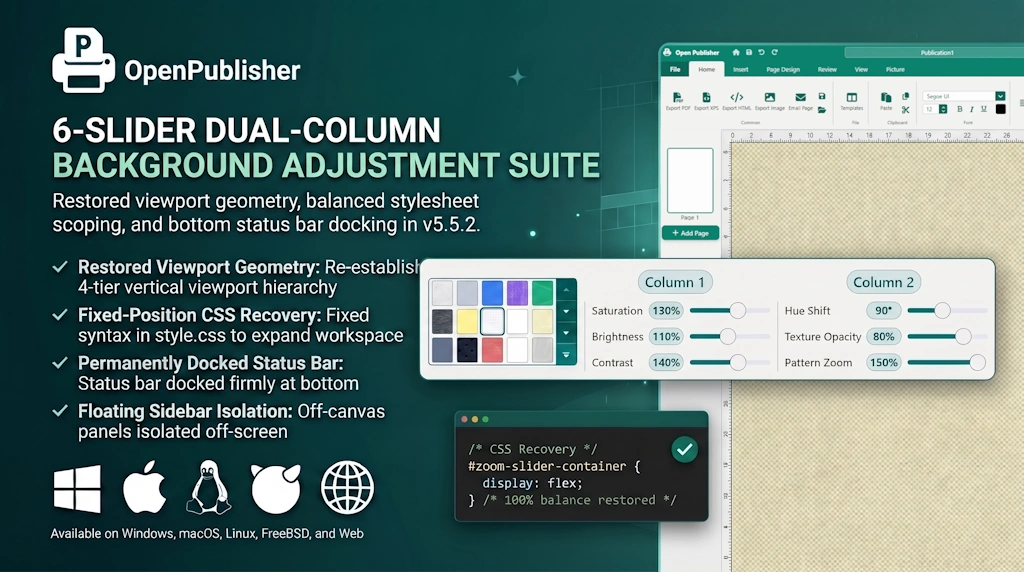 The Theme Studio ribbon features six dedicated sliders for color tone, 360-degree hue rotation, and pattern scaling.
The Symmetrical Dual-Column Control Suite
Fitting six precise controls into the ribbon without vertical crowding required a balanced two-column architecture:
-
Column 1 (Color & Tone): Contains Saturation (0% to 200%), Brightness (50% to 150%), and Contrast (50% to 150%). Boosting contrast deepens shadows and sharpens texture definition, while reducing contrast produces delicate pastel tones.
-
Column 2 (Effects & Patterns): Features Hue Shift (0° to 360°), Texture Opacity (0% to 100%), and Pattern Zoom (25% to 300%). Rotating the hue shift slider transforms a navy theme into emerald, amethyst, amber, or ruby with zero distortion.
-
Interactive Click-to-Reset Badges: Each slider includes a pill badge showing exact numeric values. Clicking any badge instantly resets that specific parameter to its default setting (100% or 0°).
-
Context-Aware Disabling: When a flat gradient is active, Texture Opacity and Pattern Zoom gracefully dim with "None" badges, reactivating instantly when a textured theme is selected.
Natural Pattern Zoom & Scaling
Repeating background patterns previously suffered from rigid tile sizes. The pattern zoom engine calculates scaling relative to intrinsic image dimensions:
-
Natural Dimension Preloading: When a textured theme is selected, the engine preloads the image to capture its natural width and height (naturalWidth, naturalHeight).
-
Proportional Pixel Scaling: Scrubbing Pattern Zoom scales background-size smoothly in real pixels (baseW * (size / 100)), allowing users to expand fine weaves into bold textures or shrink coarse grids into subtle paper grain.
Universal Canvas 2D Raster Print Baking
Because browser print engines and html2canvas ignore CSS filters applied to DOM elements, Open Publisher implements an offscreen Canvas 2D rasterizer in extensions/print-engine.js:
-
2x Print Resolution Rendering: Renders solid fills, linear gradients, and pre-tiled textures onto an offscreen canvas at twice the display resolution.
-
Hardware Context Filtering: Applies composite context filters (saturate, brightness, contrast, hue-rotate) directly onto the canvas pixels.
-
100% Physical Parity: Injects the pre-baked background raster directly into the print spooler, guaranteeing that adjusted tones and pattern sizes export to PDF and paper exactly as previewed on screen.
Tip: All six adjustment settings are automatically saved in your .opub publication file and restore smoothly when reopening documents.