
Complete Options Overhaul, Ribbon Re-arrangement & Startup Preview
Configurability, visual elegance, and seamless startup workflows define professional software. Version 5.6.7 of Open Publisher delivered an extensive overhaul of the File -> Options settings dialog across all seven configuration tabs (General, Proofing, Save, Language, Advanced, Customize Ribbon, and Trust Center). Every setting is actively wired to live application state and persistent storage, activating independent grammar proofing controls, an interactive AutoCorrect manager, a dynamic Ribbon Re-arrangement Engine, signature teal form theming, and guaranteed Page 1 cold start previews.
⚙️Overhauled Options Dialog with Ribbon Customization & Proofing Controls
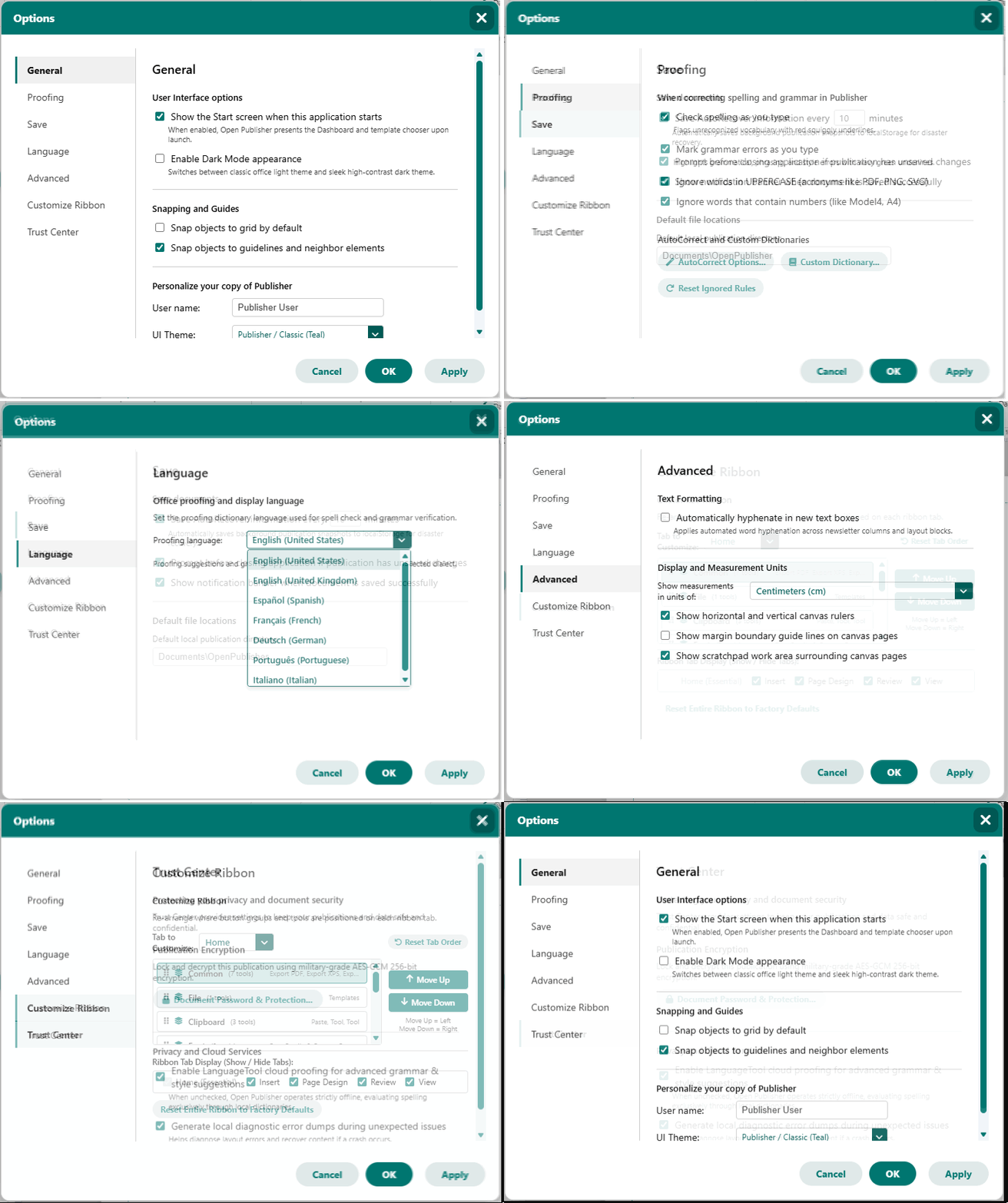 All seven Options tabs are fully active, featuring ribbon group reordering, proofing controls, and teal checkboxes.
Ribbon Re-arrangement & Button Group Engine
The Customize Ribbon tab allows users to personalize the primary application toolbar:
-
Per-Tab Group Reordering: Select any toolbar tab (Home, Insert, Page Design, Review, View) and freely adjust the left-to-right order of its command groups using Move Up (shift left) and Move Down (shift right) buttons.
-
Live DOM Synchronization: Adjusting group order immediately updates the toolbar on the canvas in real time without requiring an application reload.
-
Persistent Layouts & Reset: Custom arrangements persist in localStorage (opub_ribbon_custom_order) and reload automatically on boot, with dedicated buttons to reset individual tabs or restore factory defaults.
Proofing Options & Grammar Toggle Activation
The Proofing tab provides granular control over writing assistance:
-
Independent Grammar Checking: "Mark grammar errors as you type" is fully functional (opub_grammarcheck), allowing users to toggle green wavy grammar underlines independently of spelling check. Disabling grammar check instantly clears markings from the canvas.
-
AutoCorrect Manager: Accessible via "AutoCorrect Options...", offering an interactive manager for typing substitutions (such as (c) to © or --> to →), custom shortcut pairs, and single-entry removal.
-
Custom Dictionary & Rule Reset: View and manage personal custom words, and reset skipped grammar rules with a single click.
Teal Form Theming & Startup Preview Guarantee
Interface aesthetics and application boot reliability received significant polish:
-
Signature Teal Theming: Form checkboxes, radio controls, and sliders utilize accent-color: #007670, replacing generic browser blue boxes with branded teal styling across light and dark themes.
-
Guaranteed Cold Start Preview: Clicking the [X] close button on the startup dashboard initializes Page 1 immediately, presenting an active canvas and a rendered sidebar thumbnail without blank screens.
-
Desktop Application Integration: Detects native desktop environments (window.isDesktopApp()) to suppress duplicate web timers, avoid double exit modals, and harmonize with native OS notifications.
Tip: Open File -> Options -> Customize Ribbon to arrange your most frequently used tool groups on the left side of the Home tab.