
Page Preview Bleed Prevention & Minimap Clipping
When working on multi-page publications containing dozens of pages, scrolling through the sidebar navigation pane is a frequent task. In version 5.1.3, Open Publisher resolved a visual layering issue where floating page preview frames and thumbnail outlines from the sidebar bled through and rendered behind the top Ribbon bar. This fix introduces dynamic geometric clipping and strict layer stacking across the application chrome.
🖼️Sidebar Minimap Preview Cleanly Clipped at Ribbon Edge
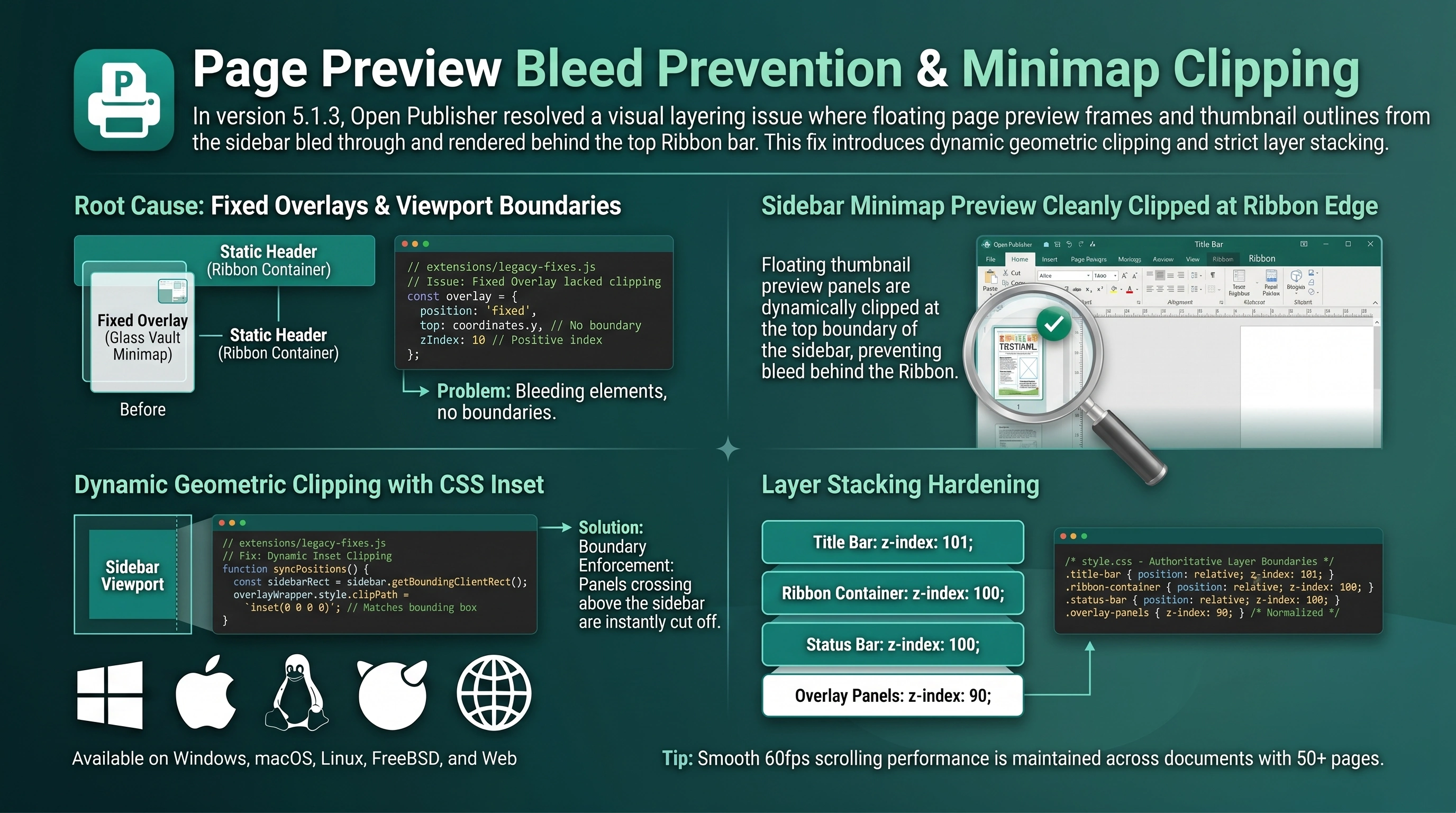 Floating thumbnail preview panels are dynamically clipped at the top boundary of the sidebar, preventing bleed behind the Ribbon.
Root Cause: Fixed Overlays & Viewport Boundaries
The preview frame issue was located inside the Glass Vault Minimap subsystem in extensions/legacy-fixes.js:
-
Fixed Overlay Architecture: The enhanced thumbnail preview is rendered inside a position: fixed glass panel mounted to document.body. While the native thumbnail inside the sidebar was clipped by overflow-y: auto, the fixed overlay had no clipping boundary and continued rendering wherever its coordinates landed.
-
Static Header Stacking: The Ribbon container was previously position: static without an explicit z-index, allowing fixed overlay elements with positive indexes to render visibly on top of the ribbon background.
Dynamic Geometric Clipping with CSS Inset
The clipping engine in extensions/legacy-fixes.js now strictly confines preview panels to the sidebar viewport:
-
Dynamic Inset Clipping: In syncPositions(), #ts-overlay-wrapper dynamically calculates and applies a clip-path: inset(...) rule matching the exact bounding rectangle of #sidebar.
-
Boundary Enforcement: Any thumbnail preview panel that crosses above the sidebar's top dividing line (or below the bottom status bar) is cleanly and instantly cut off at the border.
-
Out-of-Bounds Suppression: Panels that scroll completely outside the visible sidebar area are immediately set to display: 'none', saving GPU composite cycles.
Layer Stacking Hardening
The application chrome stylesheet (style.css) was updated with authoritative layer boundaries:
-
Title Bar: Configured with position: relative; z-index: 101;.
-
Ribbon Container: Configured with position: relative; z-index: 100;.
-
Status Bar: Configured with position: relative; z-index: 100;.
-
Overlay Panels: Normalized to z-index: 90, guaranteeing they strictly render underneath all headers, ribbon tabs, and dialog modals.
Tip: Smooth 60fps scrolling performance is maintained across documents with 50+ pages.