
Rotation-Aware Object & Image Resizing Engine
Desktop publishing layouts rely heavily on rotated elements: angled banners, rotated photo collages, slanted headings, and upside-down badges. In earlier versions of Open Publisher, resizing rotated elements produced counter-intuitive behavior: grabbing a handle on an element rotated 180 degrees caused the object to shrink instead of expand, while the opposite anchor moved unexpectedly. Version 5.5.0 introduced a complete mathematical overhaul of the canvas resizing system with the Rotation-Aware Affine Transform Resizing Engine.
🔄Rotation-Aware 2D Affine Handle Resizing at Arbitrary Angles
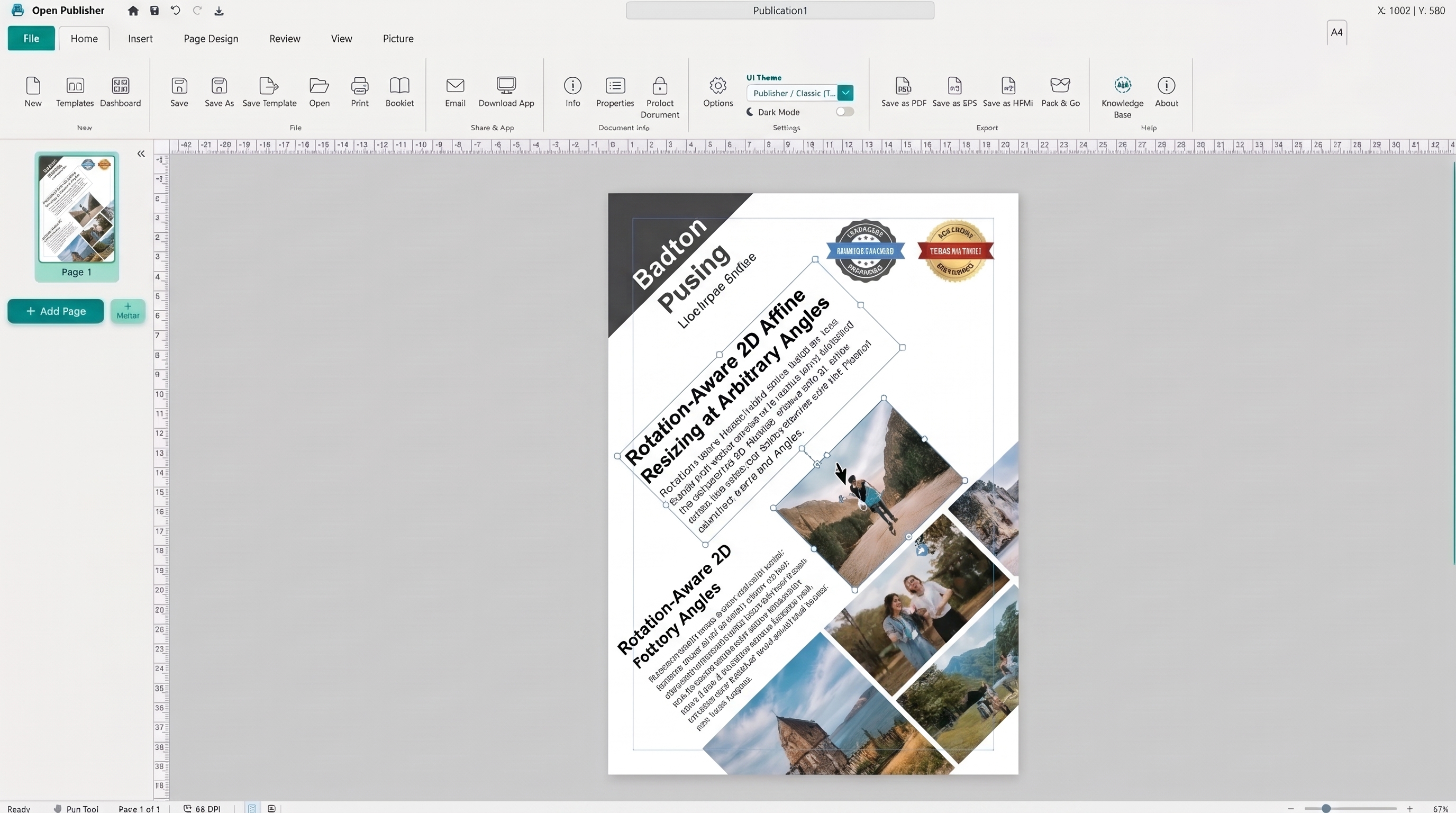 Selection handles track cursor movement precisely at any angle, pinning the opposite anchor in place.
2D Affine Basis Extraction & Delta Projection
Screen mouse coordinates do not align with the local width and height axes of a rotated element. The v5.5.0 engine decomposes transformations into local coordinate frames:
-
Basis Vector Extraction: getElementTransformBasis() parses 2D/3D CSS transforms (matrix, rotate, scale) to extract orthonormal basis vectors: u (width axis) and v (height axis).
-
Local Dot Product Projection: Screen mouse deltas (dx, dy) are projected onto local axes via dot products (localDx = dx * u.x + dy * u.y and localDy = dx * v.x + dy * v.y), ensuring dimensions expand or contract strictly along element edges.
-
Anchor Pinning via Center Shift: Calculates the element's local center shift and transforms it back to paper coordinates (deltaCenterPaper = deltaCenterLocalX * u + deltaCenterLocalY * v), guaranteeing that the opposite handle stays pinned at zero displacement in world space.
Dynamic Orientation-Aware Handle Cursors
When an object is rotated 90 or 180 degrees, static resize cursors point in the wrong physical directions. Open Publisher dynamically computes cursor visuals:
-
Visual Direction Matching: getRotatedHandleCursor(dir, rotDeg) adds the element rotation angle to each handle's base angle, assigning the appropriate cursor icon (ns-resize, ew-resize, nesw-resize, nwse-resize) to match physical on-screen motion.
-
Real-Time Updates: As elements rotate, handle cursor styles update immediately to preserve intuitive user feedback.
Universal Compatibility & Image Protection
The rotation-aware resizing engine integrates across all element types and layout workflows:
-
Aspect Ratio Locking: Holding Shift or toggling the lock aspect ratio badge scales rotated elements proportionally with zero jumping or distortion.
-
Center Resizing: Holding Ctrl (or Cmd) expands both sides symmetrically along local axes while keeping the center stationary.
-
Uncropped Image 100% Fill Protection: Ensures inner <img> tags retain CSS percentage sizing (100%) during resize, with automatic self-healing via healUncroppedImage().
-
Full Support Across All Elements: Works identically on images, shapes, text boxes, tables, clipart, and WordArt objects.
Tip: Hold Shift while dragging any corner handle of a rotated image to preserve its exact proportions.