
Mac Keyboard Backspace Delete Support
On Apple keyboards, the primary key used to erase text is labeled Delete, but it emits the standard Backspace key signal. In previous releases of Open Publisher, canvas object deletion was strictly bound to the forward Delete keycode, leaving Mac users unable to remove selected images, shapes, tables, or publication frames without using on-screen context menus. Open Publisher introduces dual-key parity, allowing Mac and PC users alike to delete selected canvas items instantly using either Delete or Backspace.
⌨️Canvas Object Selection and Mac Keyboard Deletion
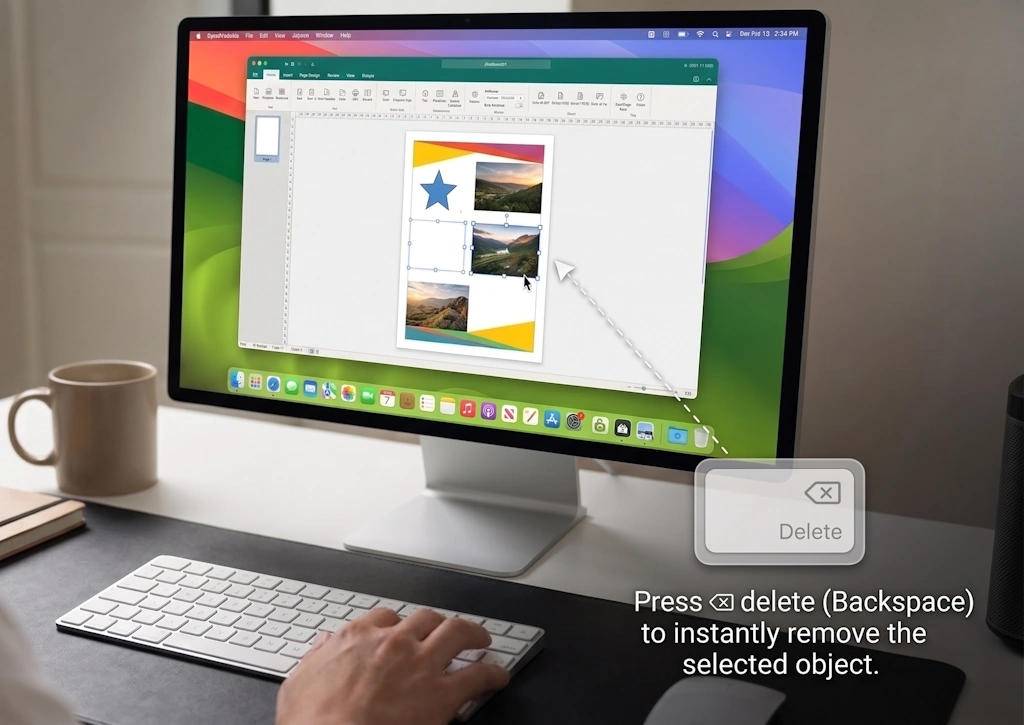
Selecting image frames, vector shapes, or text boxes and pressing Delete (Backspace) on macOS instantly removes the selected object.
Dual-Key Canvas Deletion Engine
The keyboard listener in core/keyboard.js has been updated to evaluate both key codes simultaneously:
-
Delete and Backspace Parity: Pressing either Delete or Backspace removes any actively selected canvas element, multi-element grouping, or image frame.
-
Native Browser Interception: When Backspace is pressed with a canvas item selected, the application calls e.preventDefault(). This eliminates the risk of browsers interpreting Backspace as a "Navigate Back" command and unloading your document.
-
Multi-Object Selection Support: If multiple elements are selected using Shift-click or marquee selection, pressing Delete or Backspace clears the entire group in a single undoable action.
Smart Text Editing Protection
A critical consideration when supporting the Backspace key on the canvas is preventing accidental deletions while users are typing inside text frames or table cells:
-
Active Context Inspection: The isTextEditing() detection engine checks whether the user's cursor or caret resides inside a content-editable container, paragraph node, or table cell.
-
Protected Character Erase: When editing text, Backspace performs its normal typographic function - erasing characters to the left of the caret - without triggering canvas element removal.
-
Nested Hierarchy Traversal: The detection scans nested formatting nodes (such as spans, bold tags, and hyperlinks), ensuring that complex formatted text never suffers premature element deletion.
Cross-Platform Workflow Parity
Whether designing on Windows, macOS, or Linux, your muscle memory remains consistent. Mac notebook users without full-sized numeric keypads can work at full speed without needing external keyboards or multi-key modifier combinations.
Tip: If you accidentally delete an element on macOS or Windows, press Cmd + Z or Ctrl + Z to restore it immediately with all formatting intact.