
The Drawing Engine
Open Publisher includes a built-in freehand drawing engine for annotating documents, sketching layouts, or drawing directly over images. All finished drawings are automatically exported as transparent, print-safe PNGs and placed directly onto your document page.
Accessing the Drawing Tools
To open the drawing tools:
-
Go to the Insert ribbon tab.
-
Locate the Drawing group at the far right of the ribbon.
-
Select a tool from the group to begin drawing.
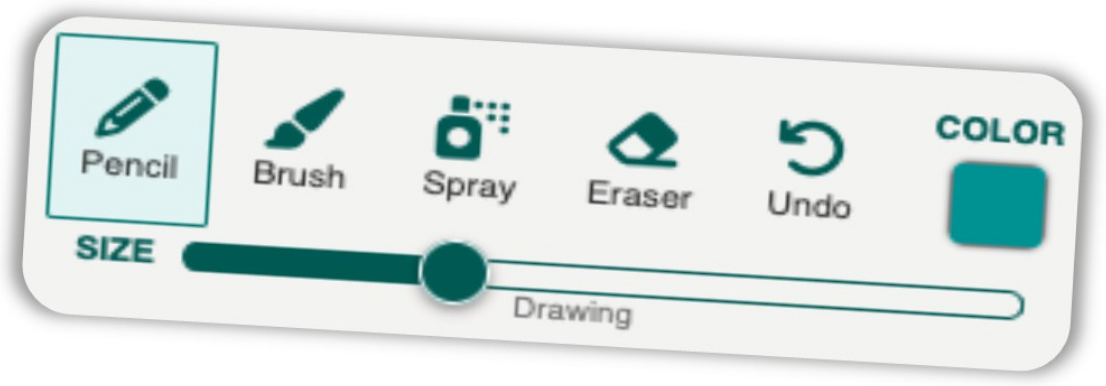
Four drawing tools are available:
-
Pencil – Classic, aliased pixel-perfect strokes for sharp, solid lines.
-
Brush – Anti-aliased paintbrush with rounded caps for smooth, organic strokes.
-
Spray Paint – Authentically scatters dots within a radius around your cursor for texture and shading effects. Radius and density scale with the brush size slider.
-
Eraser – Wipes away pixels from your drawing.
Brush Size & Colour
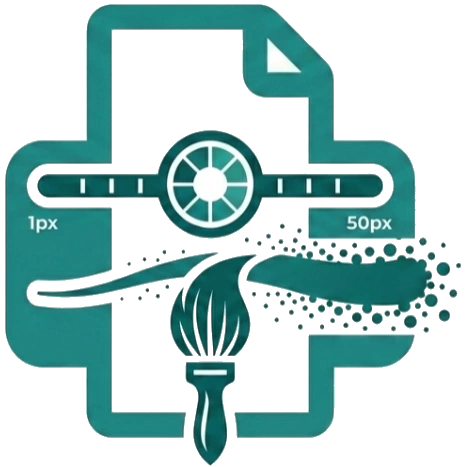
A Brush Size slider spanning the Drawing group controls brush size dynamically from 1px to 50px. This also mathematically scales the Spray Paint dot radius and density.
Use the Colour button in the Drawing group to set the active drawing colour before or during your drawing session.
Undo
Press Ctrl+Z / Cmd+Z while drawing, or click the Undo button in the ribbon, to instantly erase your last stroke.
Finishing a Drawing
Click anywhere outside the drawing canvas to exit drawing mode.
OpenPublisher will then automatically:
-
Scans the entire canvas and calculates the exact bounding box of your artwork.
-
Crops away all empty transparent space.
-
Exports a transparent, print-safe PNG and places it directly onto your document page.
Editing a Drawing
Double-click any finished drawing on the canvas to restore it to the full-screen drawing canvas with all raw layer data intact, allowing seamless re-editing without any pixel degradation.
Drawing Over Images
 Select any image on the canvas and click Edit in the Picture Tools ribbon. The drawing engine overlays the canvas at the image’s exact coordinates, letting you annotate, spray-paint, or sketch directly on top of any photo or clipart in your document.