
Insert File (Content Migration)
The Insert > File tool solves a common problem when migrating between templates. Because Open Publisher is a precise page-layout tool, simply swapping a template would destroy a carefully crafted layout. Insert File lets you extract and pour your text content from an old document directly into a new template safely.
How to Migrate Content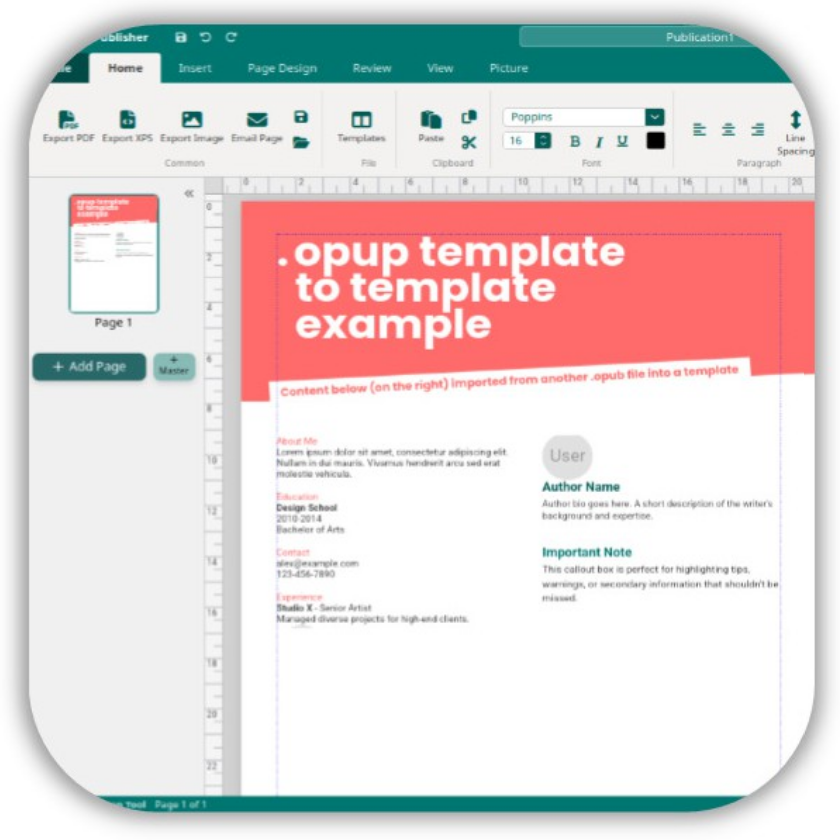
-
Open the new template you want to use via File > New.
-
Click inside the text box in the new template where you want your old content to go.
-
Go to Insert > File and select your old .opub document.
-
Open Publisher opens the old file in the background, scans every page, and extracts all text elements.
-
All the extracted text is poured directly into the selected text box automatically.
Note: Images and shapes are not transferred by this method, as they require precise manual placement in the new layout. Only text content is migrated.