
Emoji Search, Unicode Skin Tone Modifiers & Category Filtering
Emojis bring vibrant, modern, and expressive visual accents to flyers, promotional banners, event invitations, and certificates. However, with the Unicode standard expanding to encompass thousands of distinct pictograms, scrolling manually through an unorganized symbol grid can severely impede workflow velocity. Open Publisher features a comprehensive, high-speed Emoji Picker equipped with real-time keyword search, categorical taxonomy filtering, and support for Unicode skin tone diversity modifiers.
🔍Emoji Picker Search Bar & Skin Tone Modifier Palette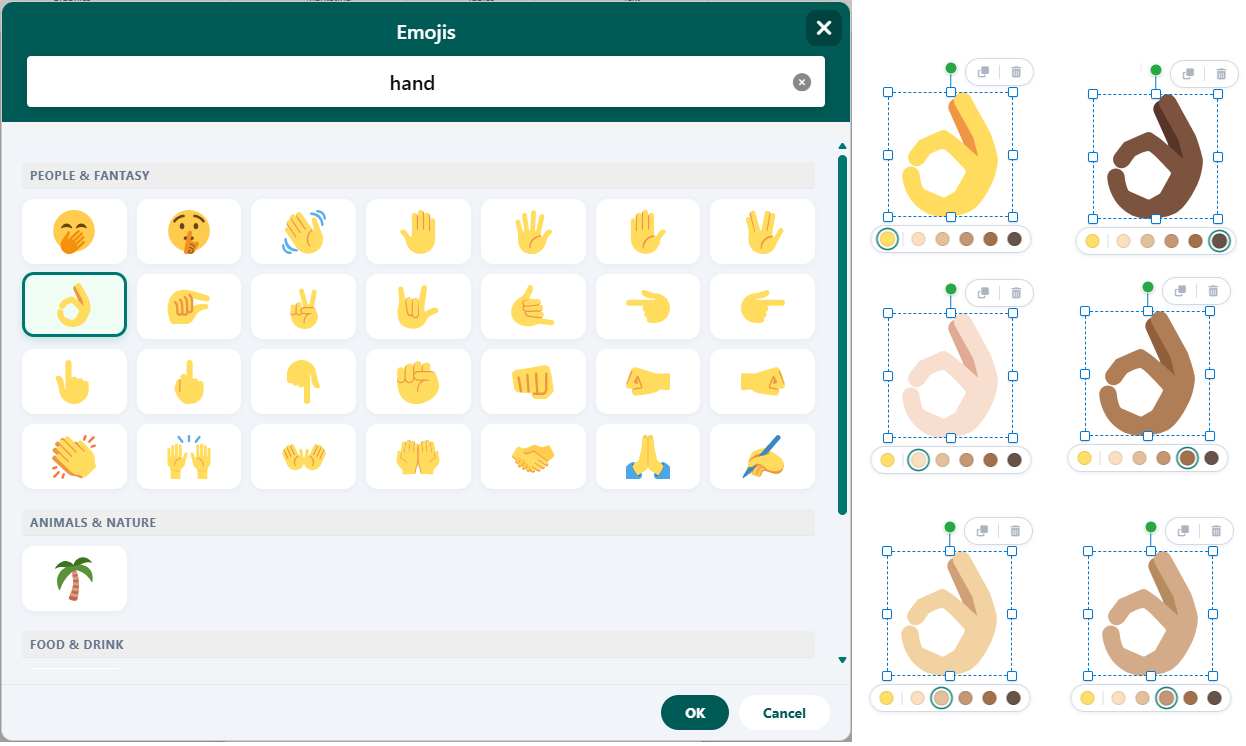 Search emojis by keyword, filter by categorical taxonomy, and customize skin tone modifiers.
Real-Time Search & Keyword Indexing
The Emoji Picker integrates an instant search engine designed for rapid keyboard operation:
-
Instant Keystroke Filtering: Type terms such as "celebrate", "heart", "calendar", "trophy", or "star" into the search bar at the top of the picker to filter results on the fly.
-
Synonym & Emotion Tagging: The search dictionary indexes colloquial synonyms and emotional states (for example, searching "happy" returns smiling faces, laughing expressions, and party poppers).
-
Keyboard Navigation: Use the arrow keys to navigate the filtered grid and press Enter to insert the highlighted glyph directly at the active text caret.
Unicode Skin Tone Modifiers
Open Publisher respects modern representation standards through interactive modifier support:
-
Fitzpatrick Scale Palette: Human and hand gesture emojis support all five standard Fitzpatrick skin tone modifiers (ranging from Light to Dark).
-
Contextual Tone Selector: Right-click or long-press on any customizable emoji to display the floating skin tone selector bar.
-
Persistent Preference: The selected skin tone persists as the default for subsequent insertions, streamlining batch drafting.
Categorical Taxonomy & Recent History
For visual discovery, the picker organizes emojis into eight primary tabs (Smileys, People, Nature, Food, Travel, Activities, Objects, and Symbols). The top bar maintains a "Frequently Used" cache displaying your most recently inserted glyphs for immediate one-click access.
Tip: You can change the size and line height of inserted emojis just like standard text by selecting them and adjusting the Font Size dropdown in the Home tab.