
Image Transparency & Filter Preservation Across Undo/Redo
Fine-tuning imagery often involves subtle adjustments: softening a background photo with 40% transparency, boosting saturation on a product shot, or applying a sepia tone for vintage aesthetics. In earlier versions of Open Publisher, performing an undo operation (even for an unrelated action like typing a character or repositioning a text box) inadvertently stripped transparency and filter effects from all edited images across the publication, reverting them to 100% opacity. Version 5.6.2 delivered a comprehensive architectural fix, establishing multi-tier filter serialization that preserves transparency and visual effects across undo, redo, page transitions, and file saves.
✨Image Transparency and Filter Preservation Across Undo History
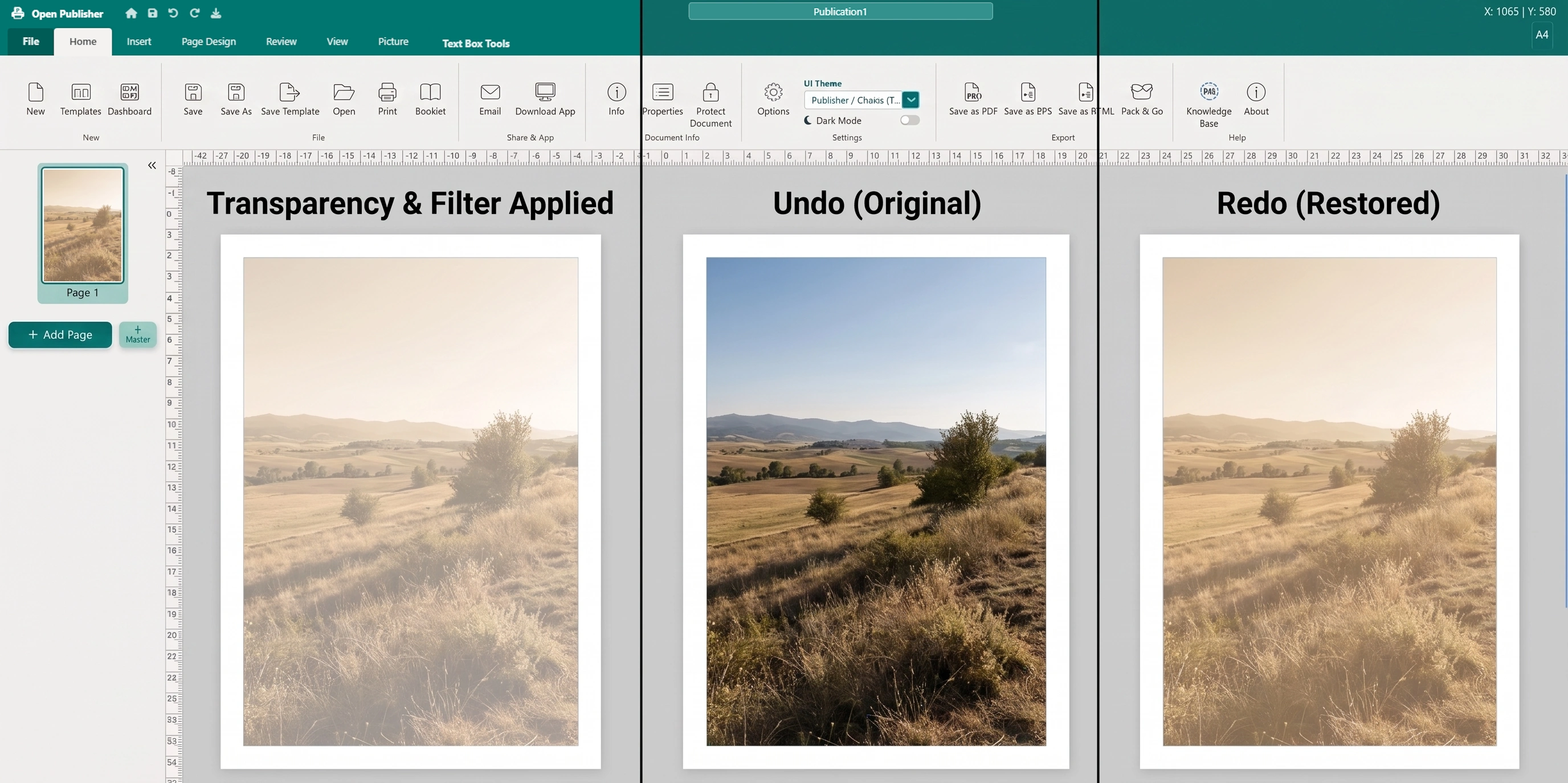 Image opacity and Format Picture filters survive undo/redo actions with 100% fidelity.
Multi-Tier History Serialization & Deserialization
The root issue stemmed from incomplete property extraction during document history snapshotting. Version 5.6.2 overhauled serialization across both history and page rendering subsystems:
-
Dedicated Filter Attributes Dictionary: serializeCurrentPage() captures all element wrapper attributes (data-filter-*, data-waf-*, data-shadow-*, data-aspect-lock) into a structured data.filterAttributes dictionary.
-
Explicit Inline Opacity Persistence: data.imgStyle.opacity is explicitly saved in history snapshots. If inline opacity is present without an explicit transparency attribute, the engine automatically calculates and persists the percentage value.
-
Dynamic Reconstitution: When renderPage() restores elements from undo or redo, it reapplies all filter attributes to the wrapper, restores image opacity with fallback calculation, and reconstructs composite CSS filter strings dynamically.
Synchronous Sidebar Slider Reactivity
Selecting an image must instantly reflect its current visual state in the Format Picture sidebar:
-
Synchronous Slider Population: When an image is selected following an undo, redo, or page switch, refreshVisibility() runs immediately and synchronously, populating transparency, brightness, contrast, saturation, and hue-rotate sliders with exact restored values.
-
Undoable Filter Reset: Clicking "Reset" in the Format Picture sidebar now pushes a history snapshot before clearing parameters, enabling users to easily undo accidental resets with Ctrl + Z.
-
Cross-Page State Isolation: Undoing actions on one page preserves the transparency and filter settings of images on all other pages without interference.
Thumbnail Opacity & Filter Rendering
Sidebar thumbnails accurately reflect image transparency and CSS filters. In style.css, global image selectors were updated to direct child targeting (.page-thumb > img), ensuring thumbnail styling never overrides custom user opacity settings inside .pub-thumb-element.
Tip: You can experiment freely with photo filters and transparency in the Format Picture tab, confident that any change can be cleanly undone or redone.