
Lock Aspect Ratio & Picture Tools Precision
Preserving accurate aspect ratios when resizing photographs, logos, and vector illustrations is essential for maintaining brand integrity and visual balance. In version 5.1.8, Open Publisher resolved an intermittent interaction bug in the Picture Tools ribbon tab where the Lock Aspect Ratio checkbox suffered from a double-toggle race condition. The updated architecture provides reliable, browser-native proportional locking across all picture manipulation workflows.
🔒Picture Tools Lock Aspect Ratio Ribbon Toggle
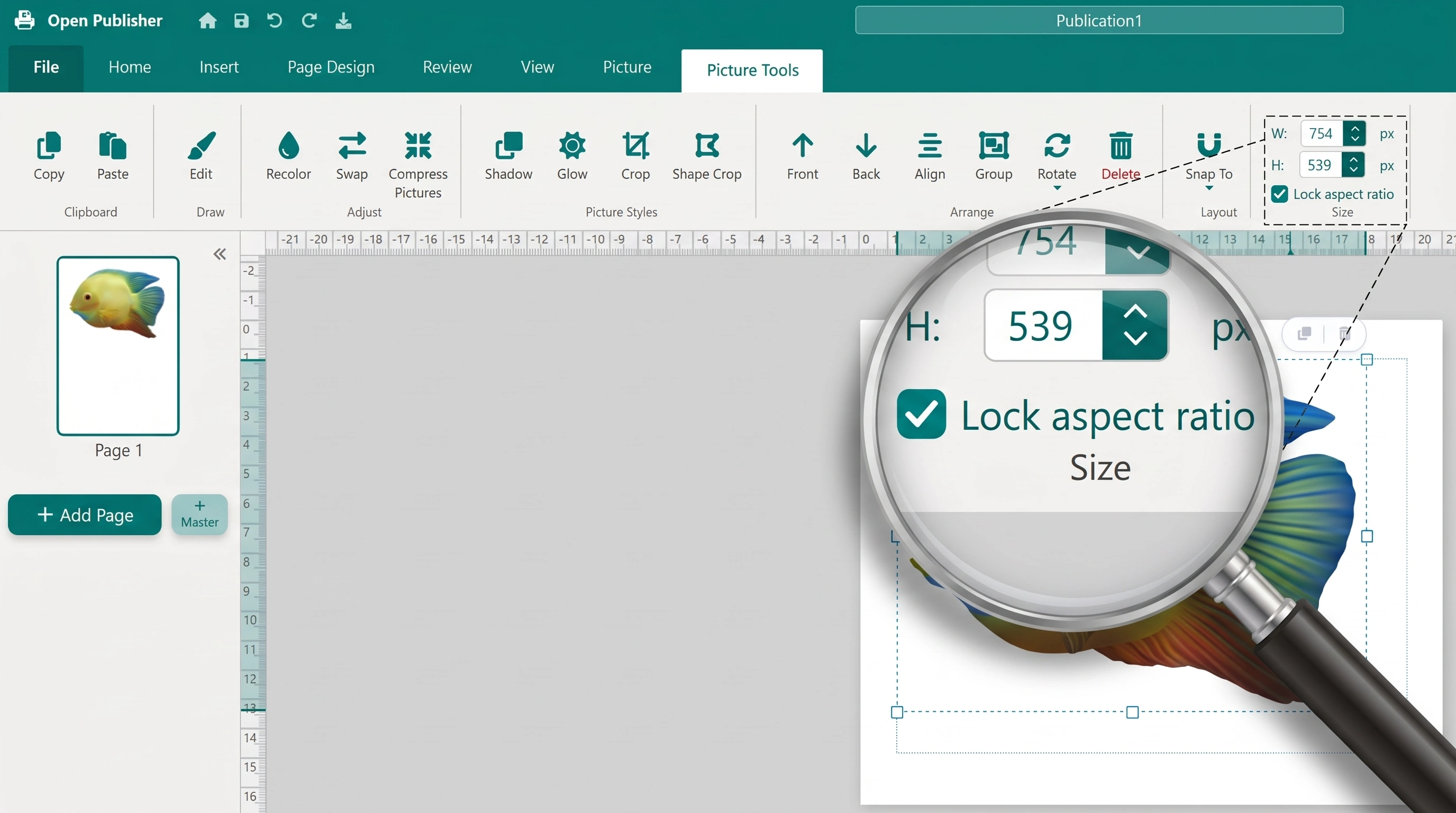
The Picture Tools ribbon tab features a reliable browser-native toggle for locking and unlocking image proportions.
The Double-Toggle Race Condition
Investigation revealed that the previous control structure mixed manual JavaScript event handlers with native browser click behaviors:
-
Dual Event Collision: The checkbox and text label were wrapped in a plain <div onclick="..."> that manually toggled the input, while the inner <input type="checkbox"> also handled native clicks.
-
Double-Toggle Glitch: Clicking the checkbox box fired the native toggle (turning it on), and then the parent container click fired immediately afterward (turning it back off). As a result, the checkbox appeared completely unresponsive.
-
Event Propagation Mismatch: Attempting to use stopPropagation() on the change event failed because browser click and change events traverse separate dispatch pipelines.
Browser-Native Label Architecture
The control was refactored in ui/ui.js to use semantic HTML standard associations:
-
Semantic Label Association: Wrapped the input in <label for="ribbon-el-lock">. Clicking anywhere on the checkbox box, label text, or padding gap triggers exactly one browser-native toggle.
-
Clean Change Pipeline: The input directly executes ContextRibbonActions.toggleAspectLock(this.checked) upon change, eliminating redundant JavaScript state tracking.
-
Theme Accent Styling: The checkbox utilizes accent-color: var(--ui-theme-color), integrating seamlessly with Open Publisher's signature teal interface theme.
Proportional vs. Freeform Sizing Controls
When Lock Aspect Ratio is enabled, dragging any corner resize handle on the canvas scales width and height in strict proportion, preventing distortion. If you need to stretch an image to fit an irregular column, uncheck the toggle to unlock freeform non-uniform resizing.
Tip: Holding the Shift key while dragging a resize handle temporarily enforces proportional aspect ratio locking regardless of whether the ribbon checkbox is toggled.