
Desktop Detection Pipeline & Client Download Suppression
Open Publisher operates across multiple deployment targets: standard desktop web browsers, mobile and tablet touch devices, and native installed desktop packages for Windows, macOS, Linux, and FreeBSD. When users run the installed desktop application (packaged with NW.js or Electron), displaying "Download App" buttons in the ribbon or download icons in the title bar is redundant and confusing. Version 5.7.1 implemented a comprehensive 8-point Desktop Detection Pipeline that accurately identifies native desktop client environments on launch and permanently suppresses install controls.
🛡️Clean Native Desktop Title Bar & Ribbon with Download Buttons Suppressed
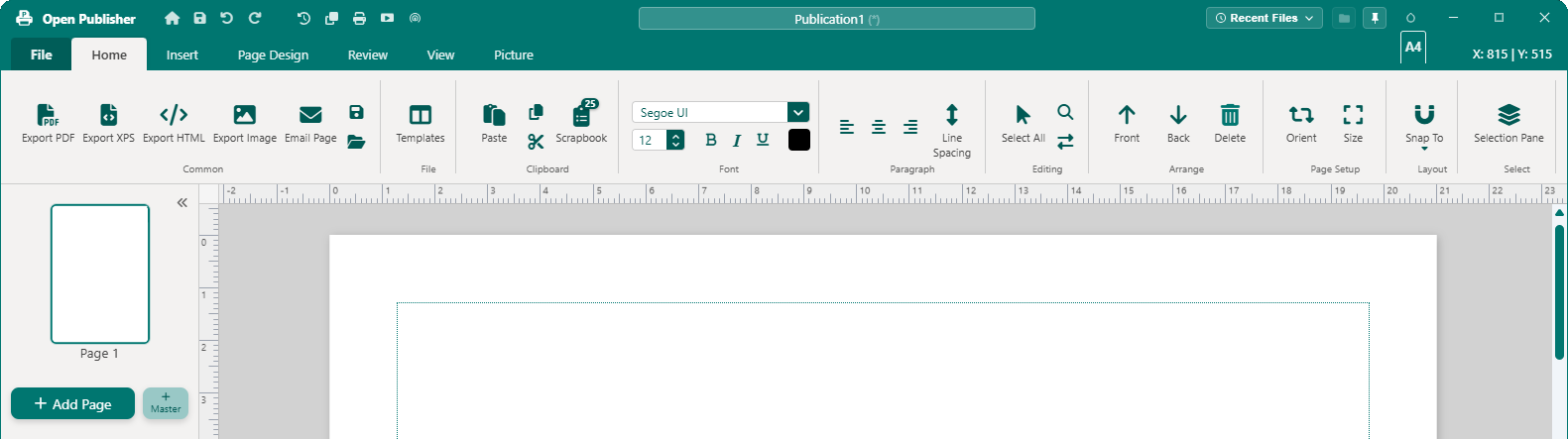
Inside the installed desktop application, install and download buttons are cleanly omitted from the title bar and File ribbon.
The 8-Point Desktop Detection Pipeline
The unified isDesktopApp() engine in extensions/pwa-install.js and extensions/system-patches.js evaluates environment indicators:
-
Point 1 - Global NW Object: Inspects nw, window.nw, and globalThis.nw namespaces native to all NW.js environments.
-
Point 2 - Process Versions: Checks Node runtime flags (process.versions.nw, process.versions['node-webkit'], and process.versions['nw-flavor']).
-
Point 3 - Electron & FreeBSD Shells: Detects process.versions.electron and standalone desktop packages.
-
Point 4 - IPC Bridges & Window Flags: Checks desktop bridge flags (_desktopBridgeActive, desktopIPC, _isDesktopClient).
-
Point 5 - User Agent Regex: Employs case-insensitive matching (/OpenPublisher|nwjs|nw\.js|node-webkit|Electron/i).
-
Point 6 - Packaged App Protocols: Identifies chrome-extension: protocols when operating in packaged app containers.
-
Point 7 - Native GUI Module: Checks availability of require('nw.gui').
-
Point 8 - Root Class Defense: Adds .is-desktop-app to root elements on boot, enforcing CSS display: none !important prior to UI script initialization.
Preserved Web Browser Download Flows
The detection pipeline strictly isolates native clients without degrading browser access:
-
Desktop Web Browsers: Chrome, Edge, Firefox, and Safari sessions evaluate isDesktopApp() to false, displaying the download button and in-app modal.
-
Mobile Web Touch Devices: iOS and Android browsers evaluate isMobileOrTablet to true, presenting the standard PWA home screen installation prompt.
Tip: The options dialog Save tab displays a dedicated Desktop Mode badge when running inside installed applications, confirming background recovery is managed by the native OS shell.