
CSS Syntax Recovery & Workspace Viewport Layout Restoration
Complex desktop-grade web applications rely on strict, balanced stylesheet architectures to maintain viewport boundaries, flexbox hierarchies, and off-canvas panel transitions. During the deployment of version 5.5.1, an unclosed curly brace on the status bar zoom container inadvertently compromised downstream CSS block scoping across thousands of rules. Version 5.5.2 delivered an immediate, targeted recovery hotfix that restored 100% syntactic balance to the stylesheet, re-established workspace viewport geometry, docked the status bar cleanly at the screen bottom, and reinforced off-canvas sidebar isolation.
📐Restored Viewport Hierarchy and Bottom Status Bar Docking
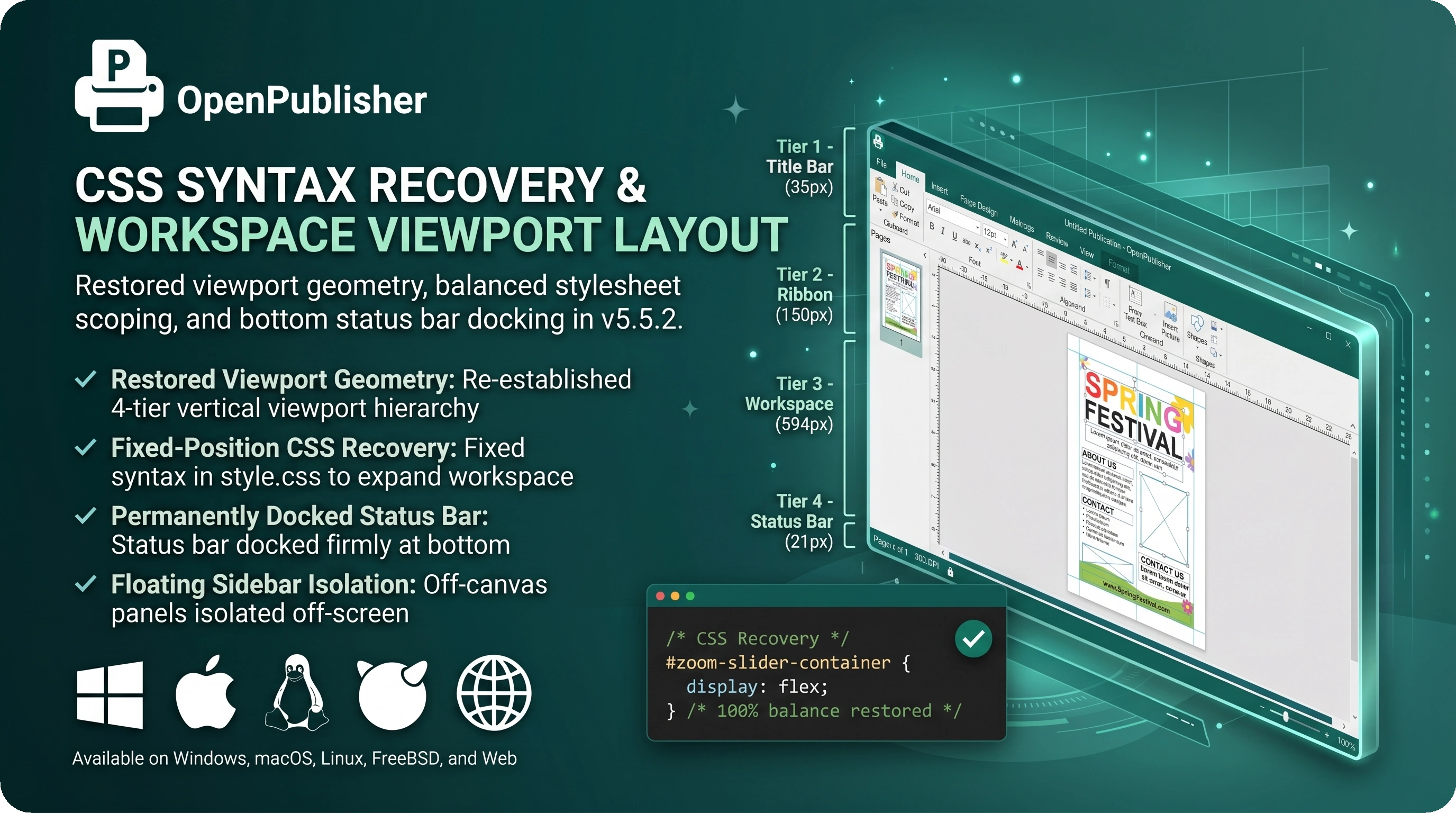 The workspace expands to fill the vertical viewport while the status bar docks firmly at the bottom edge.
The Anatomy of a Cascading Flexbox Failure
Understanding the cascading interaction illustrates the vital importance of balanced stylesheet scoping in browser layout engines:
-
Unclosed Selector Block: An unclosed brace following #zoom-slider-container caused modern browser parsers to interpret all downstream rules (including .workspace and #op-image-sidebar) as nested selectors rather than top-level declarations.
-
Fixed-Position Collapse: Without its position: fixed declaration, the Format Picture sidebar reverted to normal in-flow rendering inside document.body.
-
Vertical Space Starvation: Because body operates as a flex column container (height: 100vh), the 515px height of the in-flow sidebar crushed .workspace down to 0px, causing the editing canvas and rulers to vanish and displacing the status bar upward against the ribbon.
Viewport Geometry & Status Bar Realignment
Version 5.5.2 restored balanced CSS scoping across all 5,236 lines of style.css, re-establishing the four-tier vertical viewport hierarchy:
-
Tier 1 - Title Bar (y: 0px, h: 35px): Houses document naming, coordinates readout, and window management controls.
-
Tier 2 - Ribbon Container (y: 35px, h: 150px): Houses tabs, command groups, and tool palettes.
-
Tier 3 - Workspace (y: 185px, h: 594px): Expands with flex-grow: 1 to fill all available space, hosting the pages sidebar, interactive rulers, and centered paper canvas.
-
Tier 4 - Status Bar (y: 779px, h: 21px): Docks permanently at the bottom edge, displaying page counts, document DPI, protection badge, and zoom slider controls.
Floating Sidebar Isolation
With fixed positioning restored, contextual panels like #op-image-sidebar utilize off-canvas CSS transforms (translateX(calc(100% + 50px))) to stay hidden off-screen until explicitly invoked by selecting an image or opening the Format tab.
Tip: If you ever notice UI elements shifting unexpectedly, a hard browser refresh (Ctrl + F5) clears cached stylesheets and ensures all layout rules reload cleanly.