
Direct Mail & Postcard Layout Design Standards
Direct mail marketing (including standard promotional postcards, oversized announcement mailers, and Every Door Direct Mail [EDDM] circulars) remains a powerful promotional channel for businesses, non-profits, and event organizers. However, postal authorities (including the United States Postal Service, Royal Mail, and Deutsche Post) enforce stringent dimensional standards, address block placements, and barcode keep-out zones. Failing to respect these parameters can result in surcharge penalties or rejected mail runs. Open Publisher provides built-in postal templates and non-printing alignment guides to guarantee full postal compliance.
📮Postcard Layout with Postal Clearance Zones & Barcode Blocks
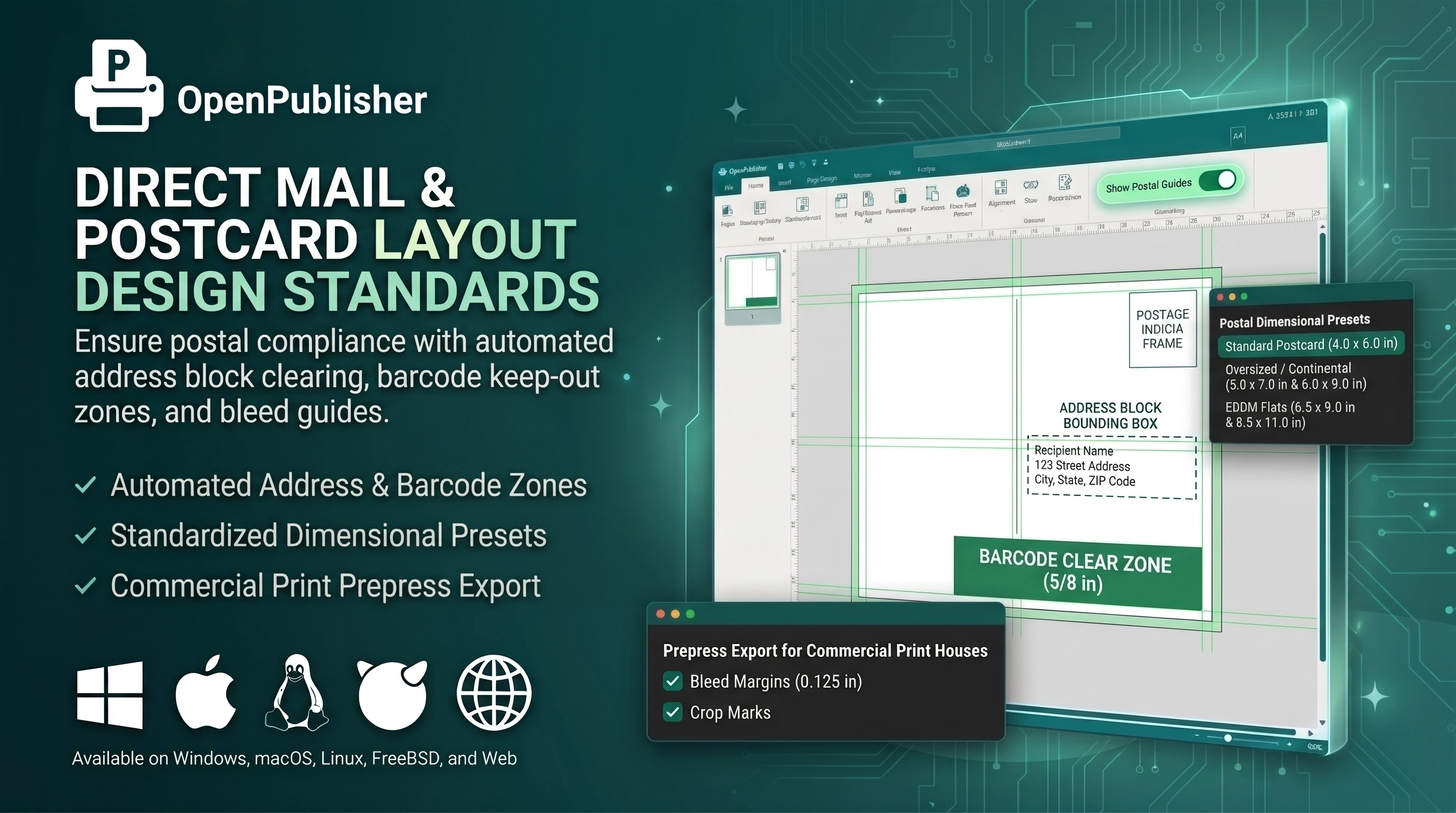 Ensure postal compliance with automated address block clearing, barcode keep-out zones, and bleed guides.
Postal Dimensional Presets
Open Publisher includes standardized presets tailored for postal automated sorting machines:
-
Standard Postcard (4.0 x 6.0 in): Qualifies for lowest first-class postcard rates.
-
Oversized / Continental (5.0 x 7.0 in & 6.0 x 9.0 in): Maximizes visual impact while qualifying for standard letter postal processing.
-
EDDM Flats (6.5 x 9.0 in & 8.5 x 11.0 in): Formatted specifically for Every Door Direct Mail saturation marketing routes.
Automated Clearance & Barcode Keep-Out Zones
Enabling postal guides reveals mandatory clear zones on the reverse spread:
-
Barcode Clear Zone: Displays a 5/8-inch non-printing strip along the bottom edge where optical sorting machines apply the barcode.
-
Address Block Bounding Box: Ensures the recipient address box is positioned with required clearance from edges and postage indicia.
-
Postage Indicia Frame: Marks exact coordinates for postal permit imprints or stamp cancellation boxes.
Prepress Export for Commercial Print Houses
When completing your postcard design, Open Publisher's export pipeline packages the document with 0.125-inch (3mm) bleed margins and optional crop marks, ensuring commercial print shops can trim finished cards cleanly without unsightly white borders.
Tip: Turn on 'Show Postal Guides' in the Page Design tab to display non-printing address and barcode keep-out boundaries while designing.